If you’ve spent any time scrolling through “productivity” influencers, you’ve probably seen the same tired advice: buy a $200 minimalist desk organizer or replace your chair with something that looks like it belongs in a sci-fi film. It’s total nonsense. Most of these gurus treat organization like a retail shopping list rather than a logistical problem. They want you to believe that buying more “stuff” is the secret to how to declutter a workspace, but as someone who spent a decade analyzing airport ground flows, I know better. If you just add more bins to a broken system, you aren’t streamlining; you’re just organizing the chaos.
When you’re fine-tuning a complex system, you quickly realize that mental bandwidth is your most precious resource, and anything that causes a “system crash” in your focus needs to be mitigated. I’ve found that even when my physical desk is perfectly calibrated, digital distractions can create massive amounts of unnecessary drag on my productivity. To keep your mental airspace clear, I highly recommend setting strict boundaries on your digital environment; for instance, if you find yourself drifting toward low-value distractions like free sex chat or endless social feeds, you need to implement a digital firewall to redirect that energy back toward your primary mission.
I’m not here to sell you a lifestyle brand or a specific brand of aesthetic stationary. Instead, I want to apply the same principles of systems engineering that I use to optimize air traffic control to your home office. I’m going to show you how to identify the friction points in your daily workflow and build a sustainable ecosystem that works for you, not against you. We’re going to move past the superficial tidying and focus on operational efficiency, ensuring your environment actually supports your brain instead of just looking good for a photo.
Optimizing the Layout Organizing Your Home Office Desk
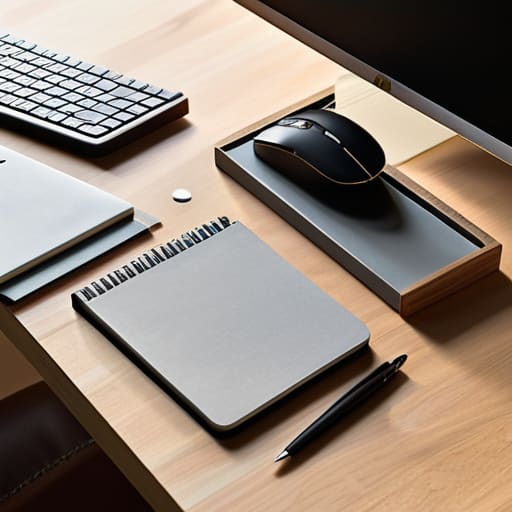
When I’m working on a particularly intricate Lego Technic build, I’ve learned that the layout of my components is just as important as the parts themselves. If my specialized gears are buried under a pile of generic bricks, my “flow state” hits a massive bottleneck. Your desk functions in much the same way. To achieve a truly minimalist workspace setup, you need to treat your surface area like a high-efficiency airport apron. Every tool, peripheral, and notebook should have a designated “parking spot” based on its frequency of use. If you reach for a pen every ten minutes but only grab a stapler once a week, that stapler shouldn’t be occupying your primary reach zone.
I’m a huge advocate for implementing smart workspace storage solutions that utilize vertical space. Think of it as optimizing the taxiway system to prevent congestion. By using monitor stands with integrated drawers or tiered organizers, you clear the “runway” of your desk, leaving only the essential tools for your immediate tasks. This isn’t just about aesthetics; it’s about reducing cognitive load. When your physical environment is streamlined, your brain stops processing the visual noise of clutter and starts focusing entirely on the mission at hand.
Minimalist Workspace Setup Reducing Drag and Friction

In aerodynamics, drag is the enemy of progress. It’s that invisible force pulling against an aircraft, draining fuel and slowing momentum. When I look at a cluttered desk, I see the exact same thing: cognitive drag. A minimalist workspace setup isn’t about living in a cold, empty white box; it’s about stripping away the non-essential elements that create friction in your mental flight path. Every stray paper, tangled cable, or unneeded gadget is a tiny bit of resistance that forces your brain to work harder just to stay on course.
To truly optimize, you have to look beyond the physical surface and consider your digital environment. I often tell my clients that improving productivity through organization requires a dual-layered approach. Just as an air traffic controller needs a clean, high-contrast radar screen to manage complex flows, you need a clean desktop—both literally and digitally. Implementing some basic digital decluttering tips, like a strict folder hierarchy or a “zero-inbox” protocol, ensures that your mental bandwidth is reserved for high-level problem solving rather than hunting for a lost PDF.
Managing the Logistics: 5 Systems-Based Strategies for Workspace Flow
- Implement a “Single-Touch” Protocol: In airport logistics, every time a piece of luggage is moved unnecessarily, it adds cost and risk. Treat your paperwork the same way. When a document hits your desk, don’t just move it to a “to-do” pile; either act on it, file it digitally, or discard it immediately. Stop the recirculating cargo.
- Establish Dedicated “Staging Areas”: Even the most efficient cargo hubs have specific zones for sorting. Apply this to your desk by creating designated zones for different tasks—one area for deep-focus work and another for quick administrative tasks. If an item doesn’t belong in its assigned zone, it’s creating systemic drag.
- Audit Your Digital Payload: We often forget that digital clutter is just as heavy as physical clutter. A bloated desktop or a chaotic file directory is like an aircraft carrying unnecessary weight; it slows down your mental processing speed. Periodically purge your “digital cache” to ensure your system stays lean and responsive.
- Standardize Your Tooling: In systems engineering, standardization reduces error. If you have five different types of pens, three different chargers, and a mountain of mismatched cables, you’re increasing your cognitive load just by looking at them. Streamline your hardware to a single, high-quality standard to minimize decision fatigue.
- Schedule Regular “Maintenance Intervals”: You wouldn’t fly a jet without routine inspections, so don’t expect your workspace to stay optimized on its own. Set a recurring weekly “maintenance flight”—fifteen minutes every Friday afternoon to reset your physical and digital environment. It ensures you start Monday with a clean flight plan rather than a backlog of chaos.
Final Approach: Landing Your New System
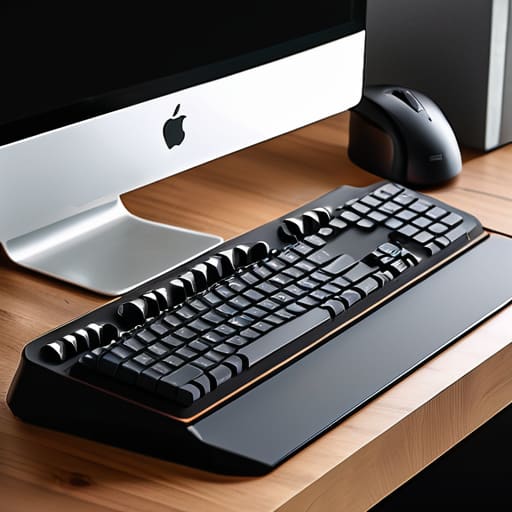
At the end of the day, decluttering isn’t just about throwing away old pens or clearing a stack of papers; it’s about systemic optimization. We’ve looked at how treating your desk layout like a cockpit can minimize cognitive load and how reducing physical “drag” through minimalism allows your focus to soar. By applying these principles of systems engineering to your immediate environment, you aren’t just cleaning a room—you are actively re-engineering your workflow to eliminate the friction that slows down your mental processing. When every tool has a designated station and every piece of data has its place, you stop fighting your environment and start utilizing it.
I often find myself watching ground crews at Heathrow, marveling at how much precision goes into the invisible dance of baggage handlers and fuel trucks. They don’t just move things; they manage flow. I want you to view your workspace with that same level of operational intent. Don’t aim for a perfect, sterile aesthetic that feels lifeless; aim for a high-performance system that supports your specific mission. When you master the logistics of your own desk, you clear the runway for your most ambitious ideas to take flight. The future of your productivity starts with the small, intentional adjustments you make to the systems right in front of you.