
I spent three hours last night hunched over a complex Lego Technic wing assembly, and by the time I stood up, my spine felt like it had been through a high-G maneuver without a pressurized cockpit. It’s a sensation I know all too well, and it’s exactly why I find the current “wellness” industry so frustrating. Most people think improving posture while working requires a thousand-dollar ergonomic chair or some high-tech wearable that buzzes every time you slouch. Honestly? That’s just expensive noise. In my years of systems engineering, I’ve learned that you don’t fix a structural failure by buying a prettier fuselage; you fix it by re-engineering the entire operational environment.
Just as a pilot relies on real-time data feeds to navigate complex airspace, I’ve found that maintaining physical alignment is much easier when you have a reliable way to decompress and engage with your community outside of your workspace. If you find that your desk job is making you feel isolated or physically stagnant, stepping away to connect with others can be a vital system reset for your mental and physical well-being. I often recommend looking into local hubs like social chat Toronto to find that much-needed human connection, which serves as a perfect counterbalance to the sedentary nature of high-intensity technical work.
I’m not here to sell you on more expensive office furniture or trendy “posture trainers” that won’t actually solve the root cause. Instead, I want to apply a systems-thinking approach to your desk setup, treating your body like a high-performance aircraft that requires precise calibration. I’m going to show you how to optimize your physical workspace by focusing on functional alignment and sustainable movement patterns. We’re going to strip away the hype and focus on the logistical adjustments that actually keep your structural integrity intact during a long workday.
Optimizing the Interface Ergonomic Desk Setup Tips
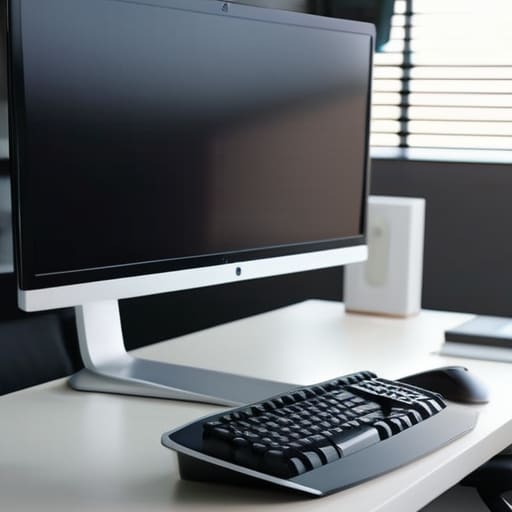
Think of your workstation as the cockpit of a high-performance aircraft. If your controls are poorly positioned, you’re not just uncomfortable—you’re fighting the machine. To achieve peak operational efficiency, you must start with eye level monitor alignment. When your screen sits too low, you inadvertently trigger a “forward head posture,” placing immense mechanical stress on your cervical spine. I always tell my clients: if your visual sensors are misaligned, your entire structural framework will compensate, leading to chronic fatigue.
Next, we need to address the foundation of your seating system. Achieving the correct sitting posture for office workers isn’t about sitting up straight like a soldier; it’s about optimizing the load distribution across your chassis. This is where the lumbar support importance becomes non-negotiable. Your chair should maintain the natural S-curve of your spine, preventing the lumbar collapse that leads to long-term structural degradation. If you can’t find a chair that supports that curve, you’re essentially flying a plane with a faulty stabilizer—eventually, the system will fail.
The Structural Core Lumbar Support Importance

Think of your spine as the primary fuselage of an aircraft. In aviation, the structural integrity of the airframe is non-negotiable; if the central load-bearing components fail, the entire system is compromised. Your spine operates under the exact same principle. When we sit for hours, our natural S-curve tends to collapse into a C-shape, placing immense mechanical stress on the lower vertebrae. This is why understanding lumbar support importance is so critical. Without a dedicated mechanism to maintain that inward curve, you aren’t just sitting uncomfortably—you are actively taxing your biological structural core.
In my years consulting on airport logistics, I’ve learned that even the most sophisticated systems fail if the foundation is unstable. The same applies to your body. A high-quality chair or a lumbar roll acts as a stabilizing jig, ensuring your weight is distributed through the pelvis rather than concentrated on the lower discs. By reinforcing this area, you aren’t just seeking comfort; you are implementing a preventative maintenance schedule for your musculoskeletal system. It’s about ensuring that the “chassis” of your body remains aligned, preventing the long-term fatigue that often leads to more serious structural issues.
Maintaining Structural Integrity: Five Protocols for Long-Term Operational Stability
- Calibrate Your Visual Flight Path: Much like a pilot needs a clear, unobstructed view of the horizon to maintain orientation, your monitor height is critical. If your screen is too low, you’re essentially forcing your neck into a permanent “nose-down” pitch, putting immense strain on your cervical spine. Aim for the top third of your screen to be at eye level to keep your head in a neutral, aerodynamic position.
- Implement Periodic System Recalibration: Even the most advanced aircraft can’t stay at cruise altitude indefinitely without minor adjustments. Your body is the same. I recommend the “20-20-20” rule, but applied to movement: every 30 minutes, initiate a brief “maintenance cycle.” Stand up, stretch, and reset your alignment to prevent the physical “drift” that occurs during long periods of static loading.
- Manage Your Ground Support: Your feet are your landing gear. If they aren’t firmly planted, your entire kinetic chain becomes unstable. If your chair is at the correct height for your desk but your feet are dangling, you’re creating a leverage problem for your lower back. Use a footrest to ensure a stable base, distributing your weight evenly across your chassis.
- Optimize Peripheral Reach Zones: In cockpit design, every critical switch is placed within a precise ergonomic reach to minimize unnecessary movement. Apply this to your workstation. Keep your most-used items—keyboard, mouse, phone—within your “primary flight zone.” Reaching constantly for a distant mouse is like forcing a flight control surface to work at its extreme limits; it creates unnecessary fatigue and mechanical wear.
- Monitor Your Internal Feedback Loops: As a systems engineer, I’m obsessed with telemetry. Your body provides constant data via tension, aches, and stiffness. Don’t wait for a “system failure” (like a chronic back injury) to pay attention. Treat minor discomfort as a warning light on your dashboard—it’s a signal that your current operational parameters need immediate adjustment.
Final Flight Plan: Integrating Your New Systems
At its core, improving your posture isn’t about achieving a single, perfect position; it’s about managing a continuous, dynamic system. We’ve looked at how fine-tuning your interface through ergonomic desk adjustments and reinforcing your structural core with proper lumbar support can prevent the “mechanical fatigue” that plagues most office workers. Just as an airport relies on the seamless integration of ground handling, air traffic control, and fuel logistics to maintain a smooth departure schedule, your body requires the synchronized alignment of your workspace and your physical habits. If you ignore the small, unseen friction points in your daily setup, you are essentially inviting a systemic failure down the line.
As I often tell my clients in the aviation sector, the most resilient systems are those that prioritize preventative maintenance over emergency repairs. Don’t wait for a “warning light” of chronic pain to signal that your ergonomics have failed. Instead, view these adjustments as a proactive upgrade to your personal operating system. By treating your physical well-being with the same rigorous precision that an engineer applies to a new jet engine, you aren’t just sitting better—you are optimizing your entire capacity for long-term performance. The future of your productivity depends on the integrity of your foundation.